

The 90-second version: SVG for print and anything that might be resized, PNG for screens and small fixed-size prints, PDF when a print shop asks for it. Below: why, a free sample QR code PNG and SVG to download, and how to export your own.
The core distinction: vector vs. raster
SVG is a vector format — it stores the QR code as mathematical shapes, so it scales to any size with perfectly sharp edges. PNG and JPEG are raster — a fixed grid of pixels. Scale a PNG beyond its native resolution and it blurs or pixelates, which is exactly what causes scan failures on a large poster or banner. PDF is a container: it can hold vector shapes or a raster image, depending on the tool that made it.
When to use each
- SVG — for print, signage, and further editing. Vector, scales infinitely, and design tools (Illustrator, Figma, Inkscape, Canva) open it natively.
- PNG — for screens and small, fixed-size prints. A website, an email signature, a social post, or a business card printed at a known size. Export at a high resolution — see QR code size for print for the pixels you need.
- PDF — when a print shop asks for it.Check whether your tool's PDF is vector or an embedded image (see below for Capy QR).
Free sample QR code PNG and SVG
Need a placeholder for a mockup, a template, or a scanner test? Download this sample QR code — it points to capyqr.com, so it's safe to use anywhere:
- Sample QR code PNG (1024 × 1024 px)
- Small sample QR code PNG (256 × 256 px)
- Sample QR code SVG (vector)
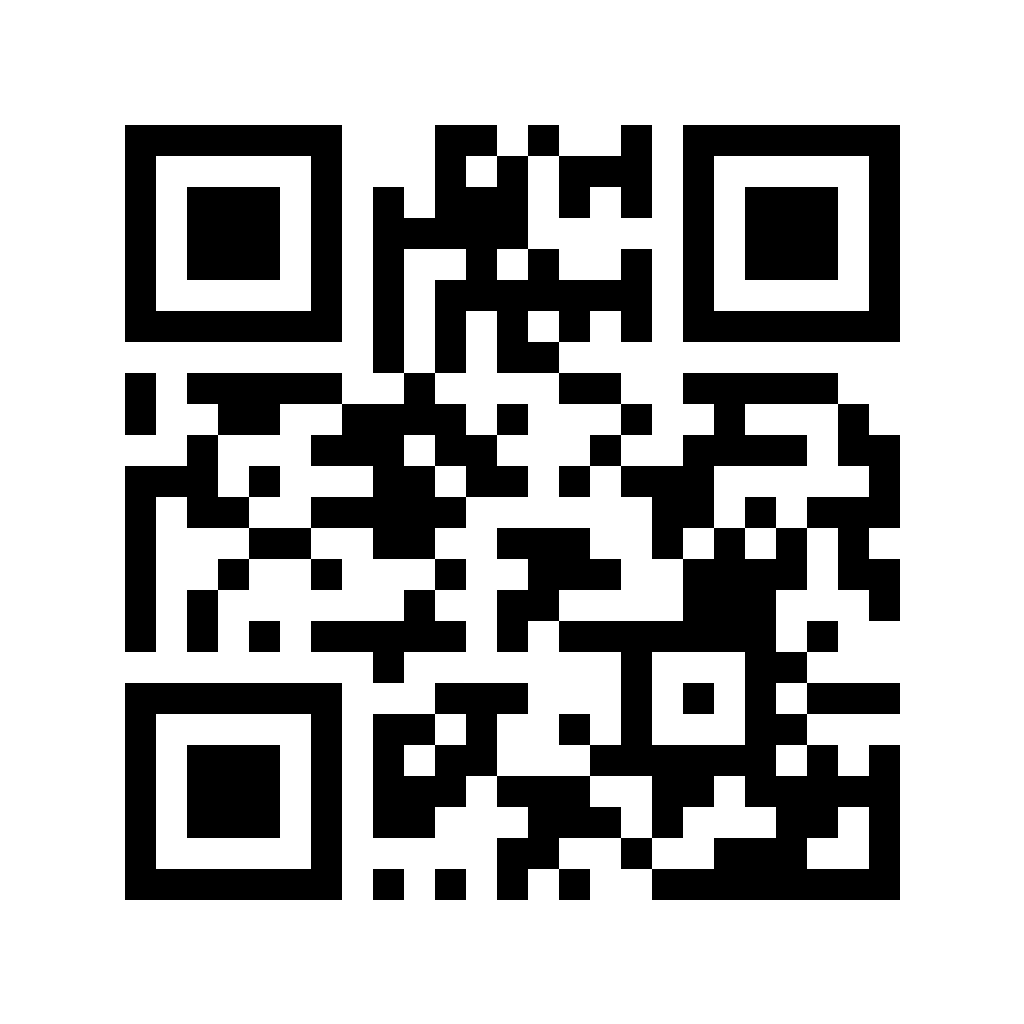

For a code that opens your own link, make one in the free QR code generator — it takes about 30 seconds.
How to download a QR code as PNG or SVG
- Open the Capy QR editor and pick a type — website, Wi-Fi, vCard, and more.
- Fill in your link or details, then style it: colors, dot shape, logo, frame.
- Choose a resolution — 512, 1024, 1600, 2400, or 3200 px — for PNG, JPEG, and PDF.
- Click PNG, JPEG, SVG, or PDF. All free, no signup, no watermark.
What goes wrong if you pick the wrong one
- A small PNG scaled up for print. The most common failure — a 300 px PNG stretched to poster size pixelates and can fail to scan entirely.
- A screenshot used as the "file". Screenshots are low-resolution raster by definition — re-export from the generator instead.
- Vector used on screen. Not a problem, just unnecessary — PNG is simpler and universally supported for web use.
Build yours in the editor → capyqr.com
Free SVG QR code generator: how Capy QR handles formats
Capy QR is a free SVG QR code generator: every code exports as vector SVG, plus PNG and JPEG from 512 to 3200 px, with no watermark and no signup. Its PDF is a print-ready A4 page with the code embedded as a high-resolution image (up to 3200 px — roughly 480 DPI at the printed size), which is plenty for flyers, cards, and anything up to A4. For billboards, banners, or a print shop that insists on vector, send the SVG — any design tool can save it as a vector PDF or EPS. More on keeping files vector in QR code vector export.
A vector-ready code
Here's a Capy QR — download it as SVG and it stays this sharp at any print size:
Frequently asked questions
- Should I export my QR code as PNG, SVG, or PDF?
- SVG for anything printed large, resized, or sent to a designer — it's vector and stays sharp at any size. PNG for screens (websites, emails, social posts) and for small prints at a fixed size, as long as it's high-resolution. PDF when a print shop asks for one.
- What's the difference between vector and raster for a QR code?
- Vector (SVG, and PDFs built from vector shapes) stores the code as scalable shapes, so it stays sharp at any size. Raster (PNG, JPEG) stores a fixed grid of pixels — scale it beyond its native resolution and it blurs, which can cause scan failures on large prints.
- Is Capy QR's PDF export vector?
- Not today. Capy QR's PDF is a print-ready A4 page with your QR code embedded as a high-resolution image (up to 3200 px — about 480 DPI at the printed size), which is plenty for anything up to A4. For billboards, banners, or a print shop that needs vector, download the SVG.
- Where can I get a sample QR code PNG?
- Right on this page: download the free sample QR code as PNG (1024 px or 256 px) or SVG. It points to capyqr.com, so it's safe to use in mockups, templates, and tests.
- How do I download a QR code as PNG or SVG?
- In Capy QR, pick a QR type, fill in your link or details, style it, choose a resolution from 512 to 3200 px, then click PNG, JPEG, SVG, or PDF. All formats are free, with no signup and no watermark.
- Does file format affect how well a QR code scans?
- Not directly — what matters is contrast and size relative to scan distance. But a raster file stretched beyond its native resolution can blur, which indirectly causes scan failures. Vector formats avoid that entirely.
Bottom line: SVG for print, PNG for screens and small fixed-size prints — and grab the sample files above if you just need a test code. Ready to export your own? Open the free QR code generator or browse more QR guides.